




-200x200.webp)
-200x200.webp)


Aplikacja Proove Gaming na PC: zarządzaj całym sprzętem gamingowym w jednym miejscu
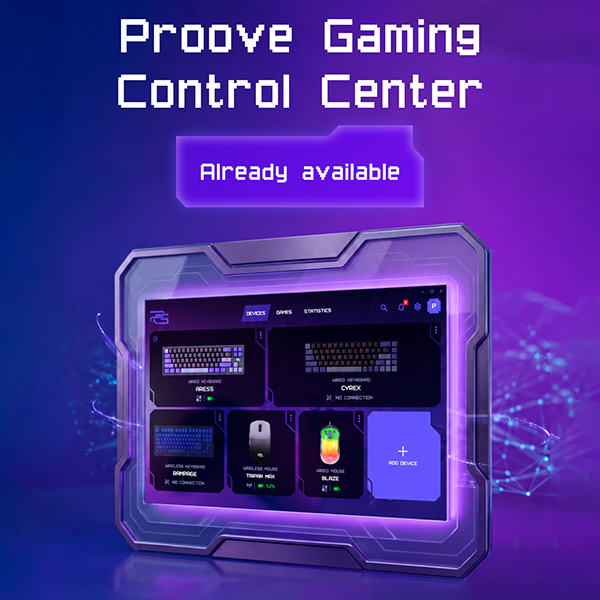
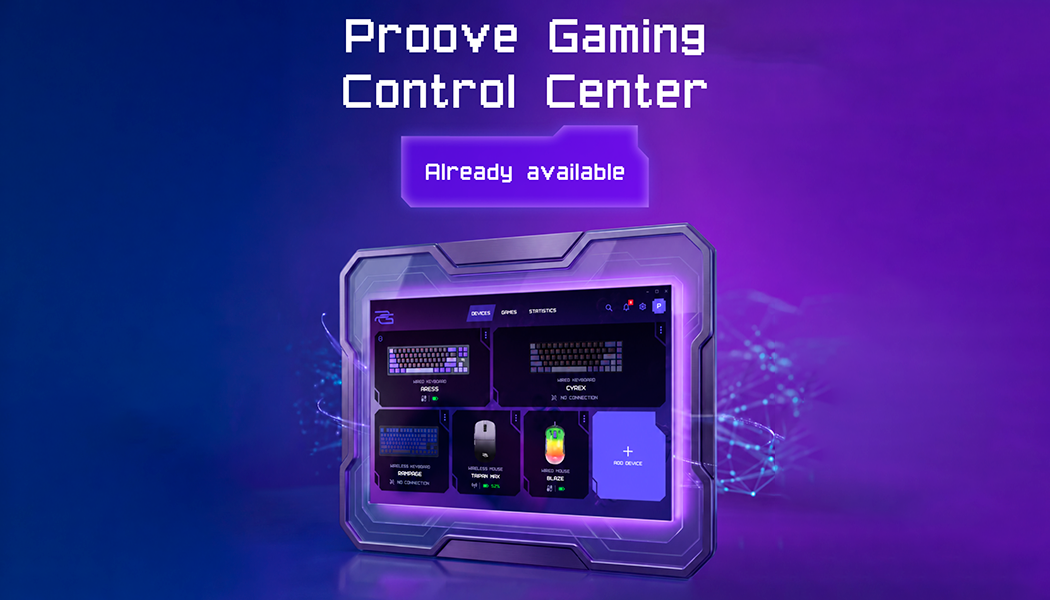
Konfiguracja gamingowa rzadko pozostaje prosta na długo. Do jednej myszy dochodzi klawiatura, później być może zestaw słuchawkowy, a każde nowe urządzenie wnosi własne ustawienia. Aplikacja PG na PC powstała po to, aby zebrać je wszystkie w jednym miejscu. Podłącz kompatybilne urządzenia Proove Gaming, otwórz potrzebne ustawienia i przełączaj się między sprzętami bez konieczności utrzymywania kilku programów uruchomionych jednocześnie.
Czym jest aplikacja Proove Gaming i jak działa
Marka Proove Gaming zaczynała od pojedynczych urządzeń. Tworzyliśmy myszy, klawiatury i zestawy słuchawkowe z własnymi funkcjami, technologiami i ustawieniami. Jednak wraz z rozwojem naszej oferty zrozumieliśmy, że stworzenie świetnego sprzętu to tylko część celu. Chcieliśmy, aby wszystkie urządzenia działały jak jeden spójny system.
Ta idea stała się podstawą aplikacji PG na PC.
Chcieliśmy stworzyć oprogramowanie do peryferiów gamingowych, które będzie rozwijać się razem z ofertą Proove Gaming. Zamiast traktować ustawienia DPI myszy gamingowej, sterowanie podświetleniem RGB na PC, makra klawiatury gamingowej oraz sterowanie dźwiękiem zestawu słuchawkowego jako całkowicie oddzielne rozwiązania, mogliśmy połączyć zarządzanie urządzeniami w jednym środowisku.
Dla nas aplikacja tworzy elastyczną platformę. Nowe kompatybilne urządzenia dołączają do tego samego ekosystemu, zamiast za każdym razem wymagać osobnego programu. Dzięki temu sposób obsługi pozostaje spójny we wszystkich kategoriach produktów.
Dla użytkownika dodanie nowego urządzenia Proove Gaming nie oznacza już zaczynania od zera. Aplikacja rozpoznaje obsługiwany sprzęt i zapewnia szybki dostęp do dostępnych ustawień za pośrednictwem prostego interfejsu.
Cel jest prosty: wraz z rozbudową konfiguracji gamingowej zarządzanie nią powinno stawać się łatwiejsze, a nie bardziej skomplikowane.
Dlaczego warto korzystać z aplikacji PG na PC
Gdy korzystasz z więcej niż jednego urządzenia gamingowego, drobne codzienne czynności zaczynają mieć znaczenie. Jak szybko możesz dotrzeć do potrzebnego ustawienia? Ilu programów musisz pilnować? Właśnie tutaj jedna aplikacja daje praktyczną przewagę:
-
Twoje urządzenia pozostają razem. Otwórz jedno okno, aby zobaczyć kompatybilny sprzęt Proove Gaming i od razu przejść do potrzebnych ustawień.
-
Nie musisz uczyć się obsługi od nowa. Ustawienia myszy i klawiatury opierają się na tej samej logice interfejsu, więc dodanie kolejnego obsługiwanego urządzenia nie oznacza konieczności poznawania nowego programu.
-
Zmiany wymagają mniej kroków. Chcesz zmienić DPI, dostosować podświetlenie albo przypisać klawisz na nowo? Wybierz urządzenie i wprowadź zmianę w tej samej aplikacji.
-
Twoja konfiguracja może dopasować się do gry. Czułość, podświetlenie i działanie klawiszy można zmieniać podczas przechodzenia między różnymi gatunkami lub stylami gry.
-
Nowe urządzenia mogą dołączać do tego samego systemu. Platforma została zaprojektowana tak, aby wraz z rozwojem oferty obsługiwać coraz więcej kompatybilnych produktów Proove Gaming.
Dzięki temu aplikacja przydaje się nie tylko podczas konfiguracji jednego urządzenia, ale również przy stopniowym budowaniu kompletnego zestawu Proove Gaming.
Dostosuj swoją konfigurację gamingową
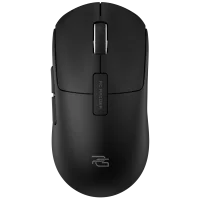
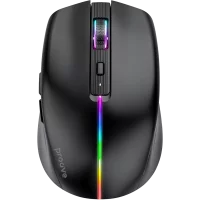
Dostępne w aplikacji ustawienia zależą od podłączonego urządzenia. Na przykład w przypadku Proove Gaming Blaze Gaming Mouse możesz dostosować zarówno wygląd, jak i wydajność.
Mysz obsługuje kilka trybów RGB, w tym Static, Breathing, Neon i Wave. Możesz wybrać kolor, dostosować jasność oraz zmienić szybkość efektu tak, aby pasował do Twojej konfiguracji. Opcje sterowania podświetleniem RGB na PC znajdują się obok ustawień wydajności, więc wszystko jest dostępne w jednym miejscu.
W zakresie wydajności ustawienia DPI myszy gamingowej obejmują wartości od 800 do 12 000 DPI, a częstotliwość odpytywania sięga 1000 Hz. Możesz także ponownie przypisywać przyciski, tworzyć własne makra i regulować ustawienia anti-debounce, aby dopasować działanie myszy do swoich preferencji.
Ustawienia klawiatury
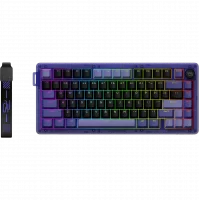
Klawiatury Proove Gaming oferują kolejny poziom personalizacji. W zależności od modelu aplikacja może zapewniać dostęp do ustawień punktu aktywacji, Rapid Trigger, Rapid Snap, SOCD, Mod Tap, Toggle oraz indywidualnego przypisywania klawiszy.
Dzięki funkcjom makr klawiatury gamingowej dostępnym na tej samej platformie możesz dopasować sterowanie do własnego stylu gry i stworzyć układ wygodniejszy w konkretnych tytułach.
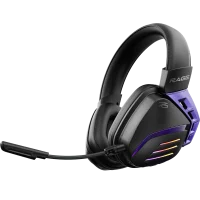
To tylko kilka przykładów tego, jak aplikacja może współpracować z różnymi rodzajami peryferiów gamingowych. Ekosystem został zaprojektowany z myślą o dalszym rozwoju, a zestawy słuchawkowe takie jak Proove Gaming Cosmo i Proove Gaming Starlight również mają w przyszłości stać się częścią aplikacji PG na PC.
Podsumowanie
Aplikacja Proove Gaming daje marce coś, czego pojedyncze urządzenia nie są w stanie zapewnić samodzielnie: ciągłość doświadczenia. Nowe myszy, klawiatury i zestawy słuchawkowe mogą trafiać do tego samego środowiska programowego, a użytkownicy zachowują znany już interfejs, logikę i sposób sterowania. Dzięki temu rozwijanie ekosystemu staje się prostsze dla obu stron.
Proove Gaming może dodawać nowe produkty bez konieczności budowania całego doświadczenia od początku, a użytkownicy mogą rozbudowywać swoją konfigurację bez gromadzenia kolejnych osobnych programów.
Wypróbuj aplikację PG na PC i przekonaj się, o ile łatwiej zarządzać całą konfiguracją z jednego miejsca.